
KeepinCRM in Data Studio and Power BI
Every night Adminka Connect loads the data from your KeepinCRM account and delivers it to Data Studio or Power BI as ready-made tables — no manual exports to Excel.
No card required. Cancel any time.
What KeepinCRM data you get
Not just a CRM export, but organised, report-ready tables: every deal shows the client’s name (not their ID in the system), amounts are converted to hryvnias, dates are in your time zone.
Custom fields you created in your CRM come along too, in the right format: numbers can be summed, dates can be filtered.
- Clients
-
Client record, manager, creation date, total purchases.
- Deals
-
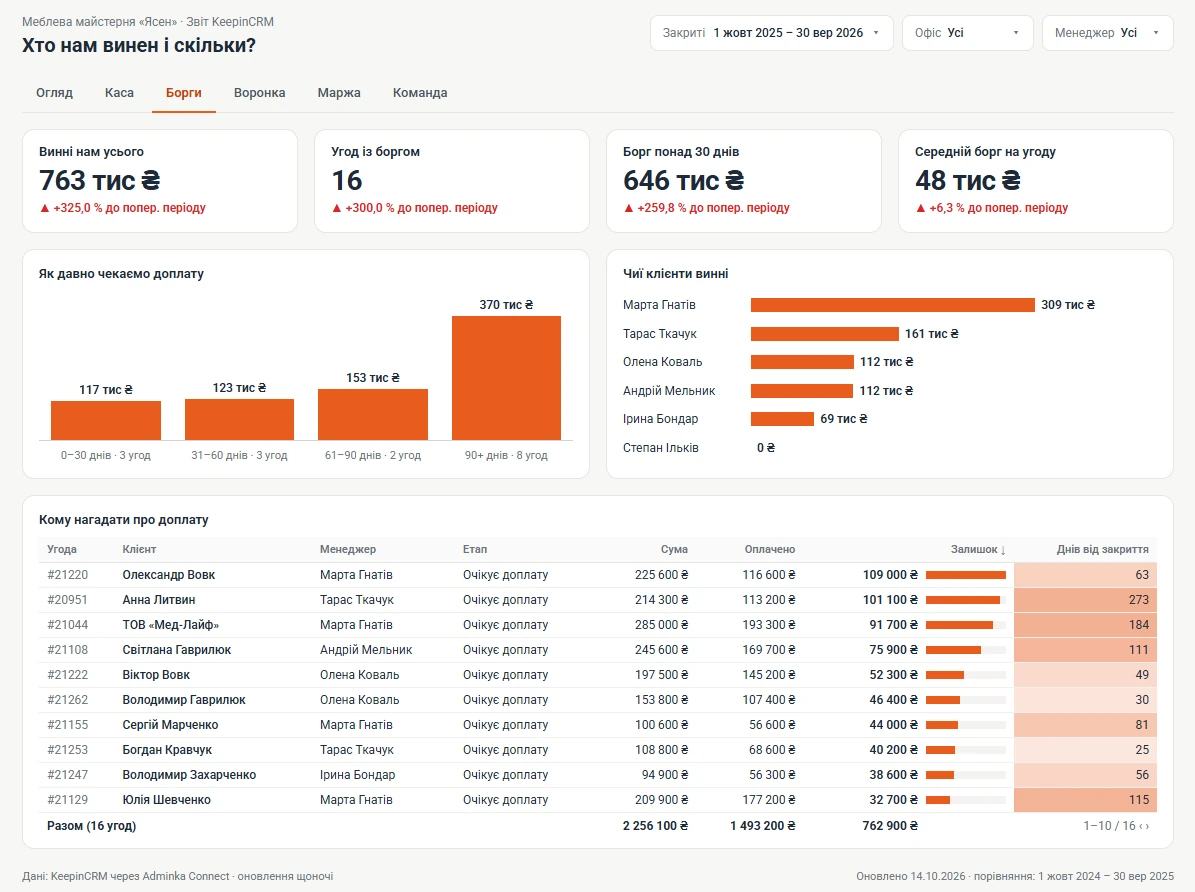
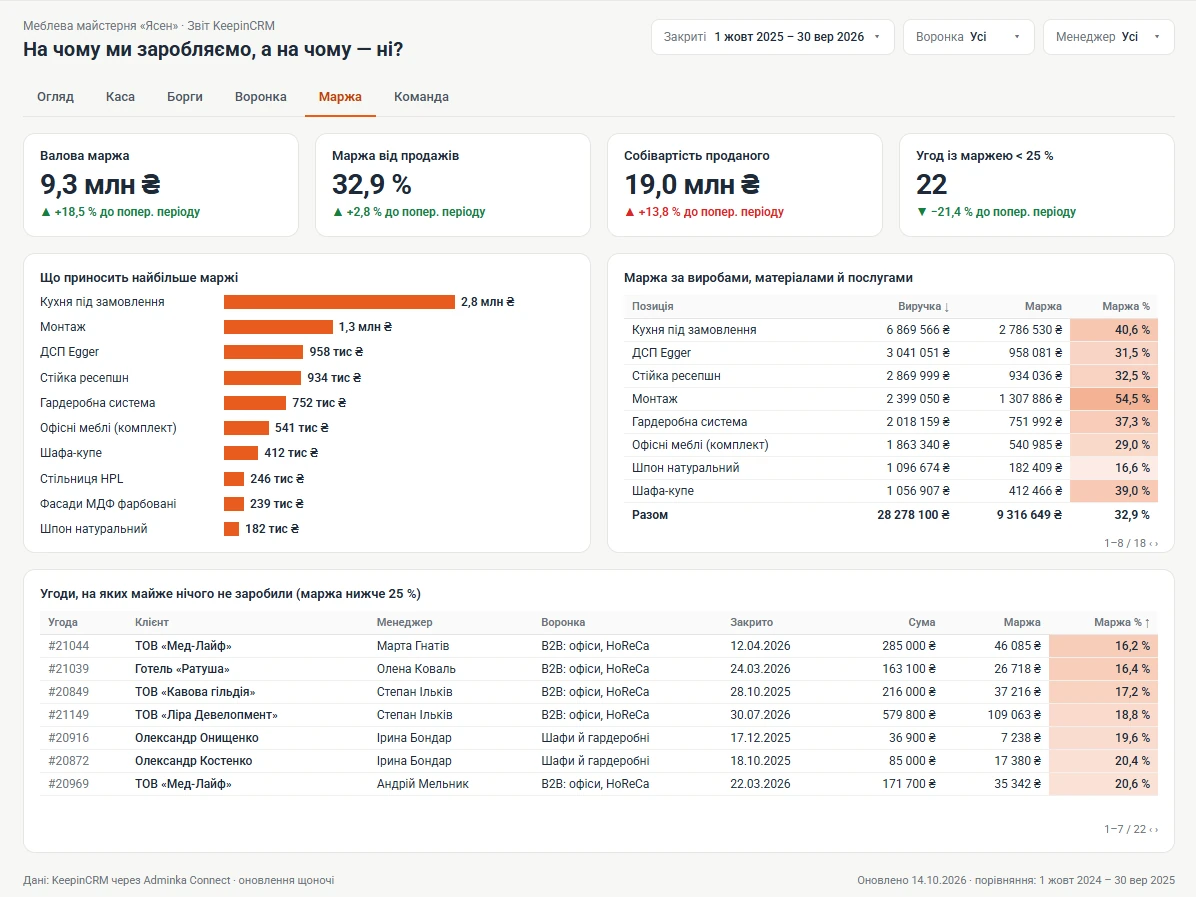
Pipeline, stage, outcome, manager, amount and margin — in the original currency and in hryvnias.
- Payments
-
Income and expenses: wallet, category, date, amount.
- Products
-
SKU, price, cost, stock — from whichever catalogue you keep.
- Managers
-
For reports by each person responsible.
- Deal lines
-
What exactly was sold, how many and for how much.
- Calls
-
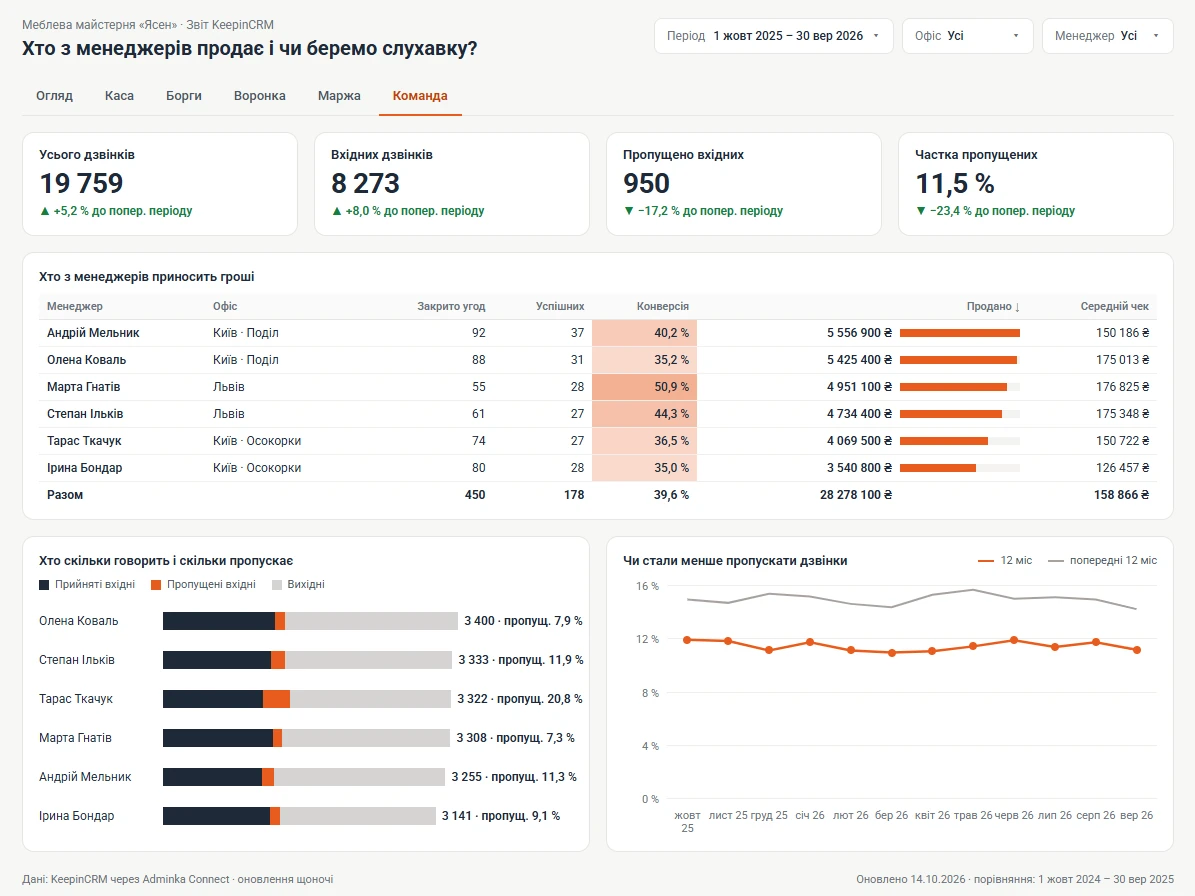
Incoming and outgoing, outcome, manager, telephony provider.
What we handle specifically for KeepinCRM
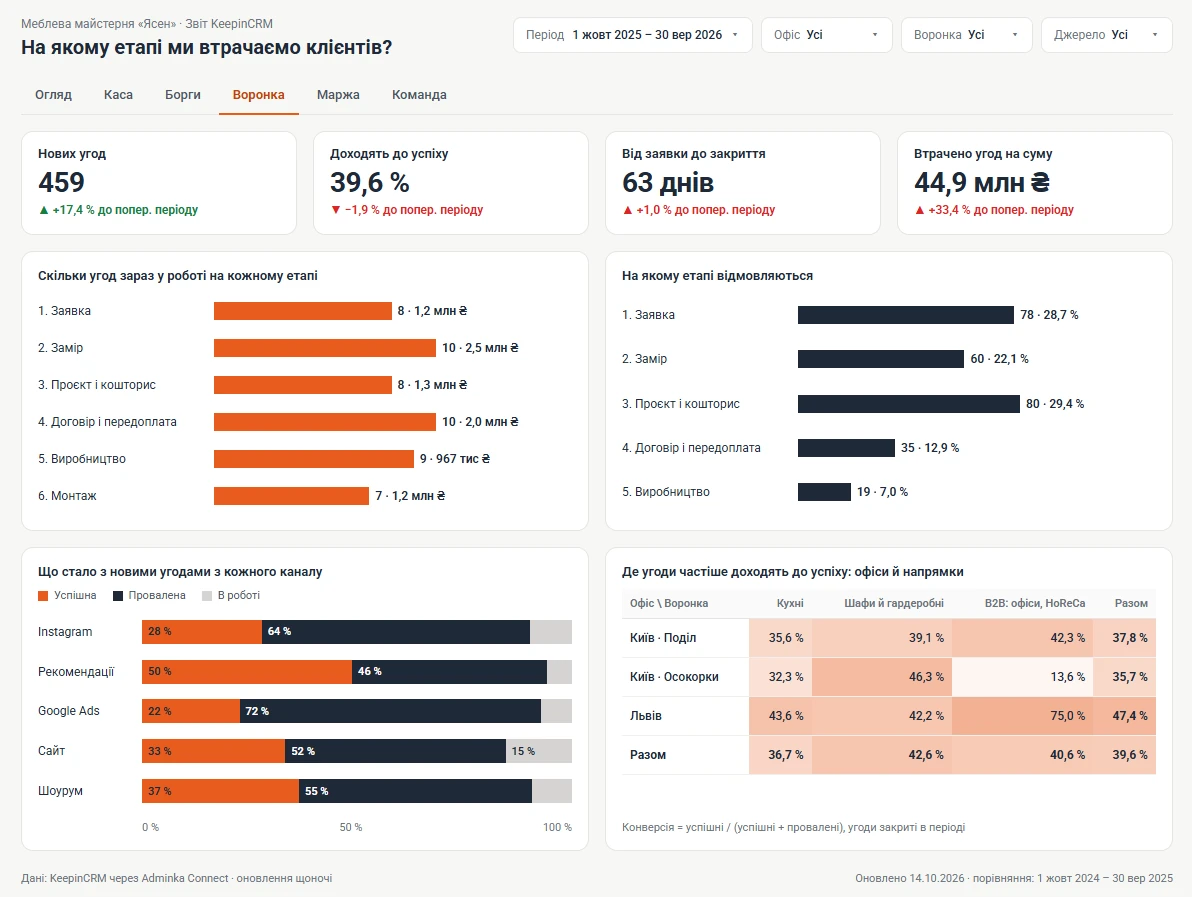
- Deals with pipelines, stages, offices and outcome: successful and failed
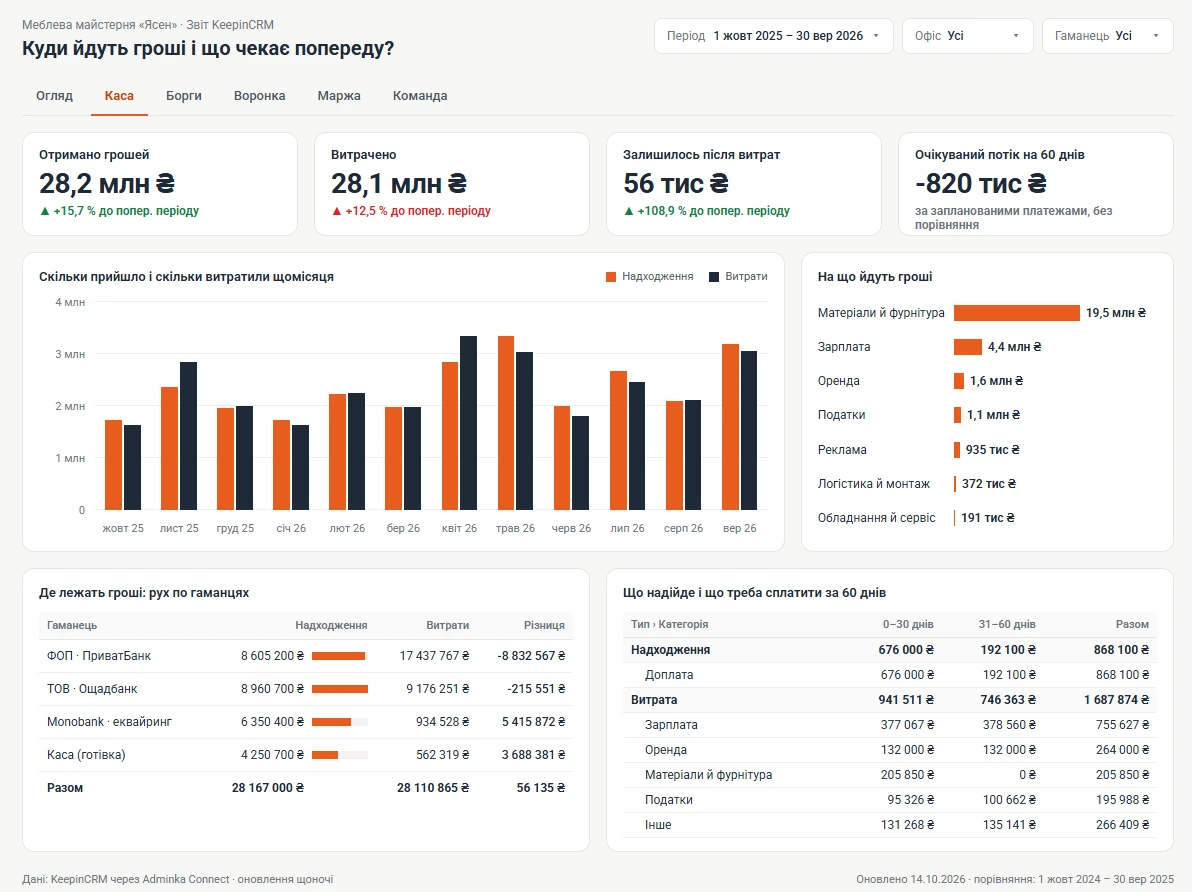
- Payments with wallets, categories and segments, including planned (future) payments
- Deal lines linked to your catalogue — “Products and services” or “Materials”, whichever you keep: what exactly sold and at what margin
- Deal and client custom fields — as separate columns in the right format
- Deals in dollars or euros — also in hryvnias at the NBU rate of the deal’s creation date, not only at the fixed rate from your CRM settings
- Telephony calls: incoming and outgoing, outcome and manager
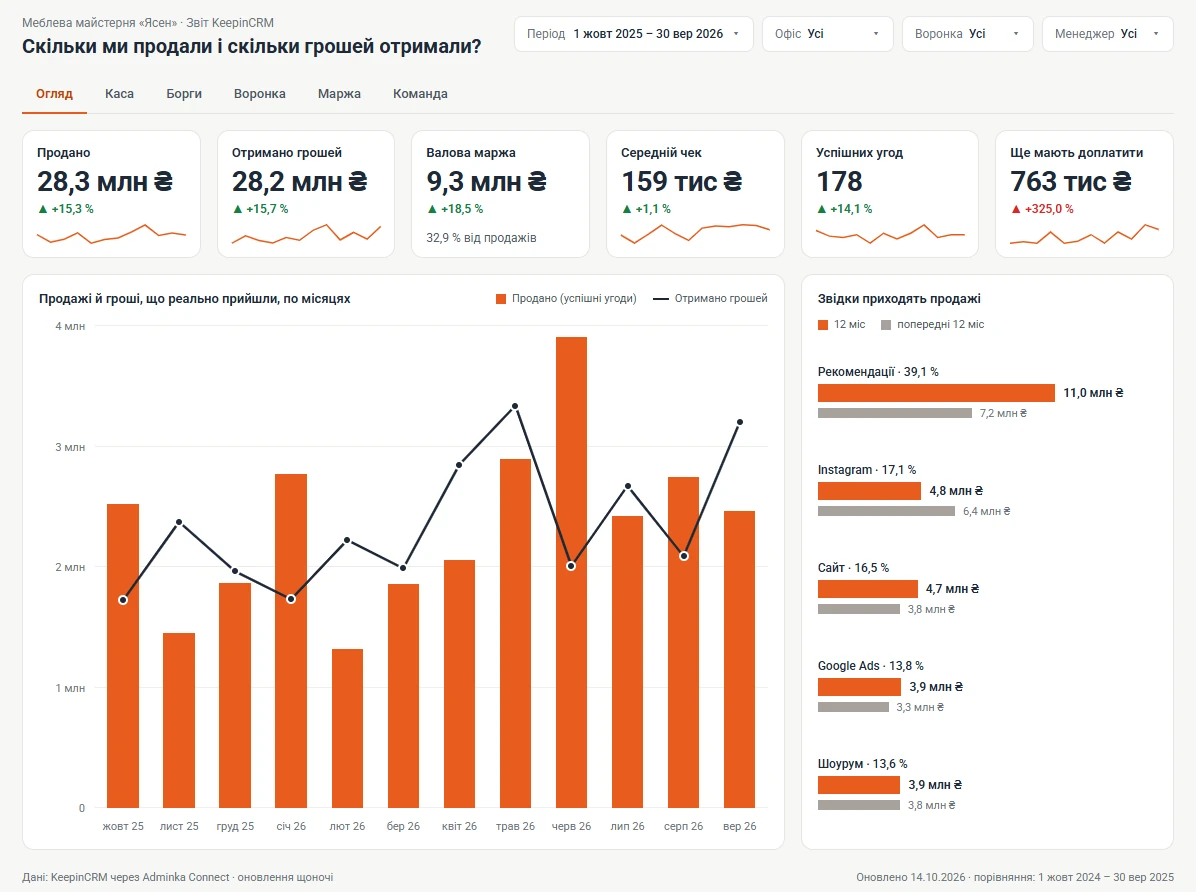
Reports you can build
How to connect KeepinCRM
-
1/3
The KeepinCRM account owner creates an API key in the settings, API section.
-
2/3
Paste the key into your Adminka Connect account. Your CRM password isn’t needed — we only read data.
-
3/3
Connect Data Studio (the Adminka connector from your account, with Google sign-in) or Power BI (a link or the function from your account) and pick the tables you need.
KeepinCRM questions
Do you load custom fields?
Yes. Fields you created in your CRM yourself become separate columns in your reports, in the right format: numbers can be summed, dates can be filtered. A new field appears in reports after the next nightly update.
How far back does the data go?
All the way: deals, clients and payments — your full history in KeepinCRM.
Can a report be split by pipeline and office?
Yes. Pipeline, stage and office are separate fields, so any report can be split by each of them.
We keep the “Materials” catalogue, not “Products and services”. Is that supported?
Yes. Deal lines are linked to whichever catalogue you use.
Other CRMs