
Pipedrive in Data Studio and Power BI
Deals from every pipeline, leads, products and calls from Pipedrive — every night in Data Studio or Power BI. Pipeline and team reports in one place with your ads, Google Analytics or spreadsheet data.
No card required. Cancel any time.
What Pipedrive data you get
Not just a CRM export, but organised, report-ready tables: every deal shows the person’s and organisation’s names (not their IDs in the system), amounts are converted to hryvnias, dates are in your time zone.
Custom fields you created in your CRM come along too, in the right format: numbers can be summed, dates can be filtered.
- Clients
-
Company, owner, creation date.
- Deals
-
Pipeline, stage, outcome, lost reason, value — in the original currency and in hryvnias.
- Leads
-
Pipeline, stage, source and UTM tags — from standard or custom fields.
- Products
-
Code, price, cost.
- Managers
-
For reports by each person responsible.
- Deal lines
-
What exactly was sold, how many and for how much.
- Calls
-
Outcome, duration, owner.
What we handle specifically for Pipedrive
- Deals from all pipelines, archived ones included: stage, lost reason, close date
- People and organisations — names already filled in on deals
- Deal products: what sold, how many and for how much
- Leads, archived ones included
- Currency and time zone picked up from your Pipedrive account automatically
- Deal and person custom fields, plus the call log
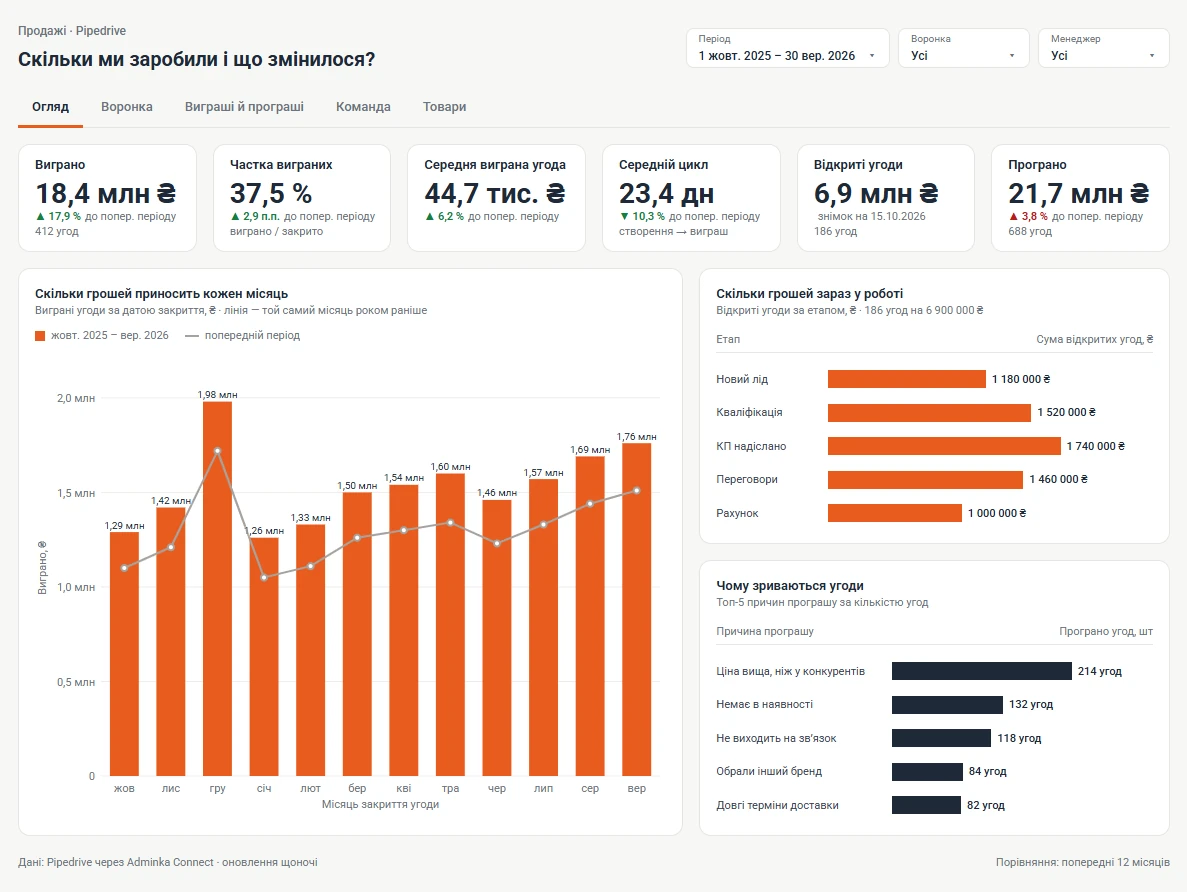
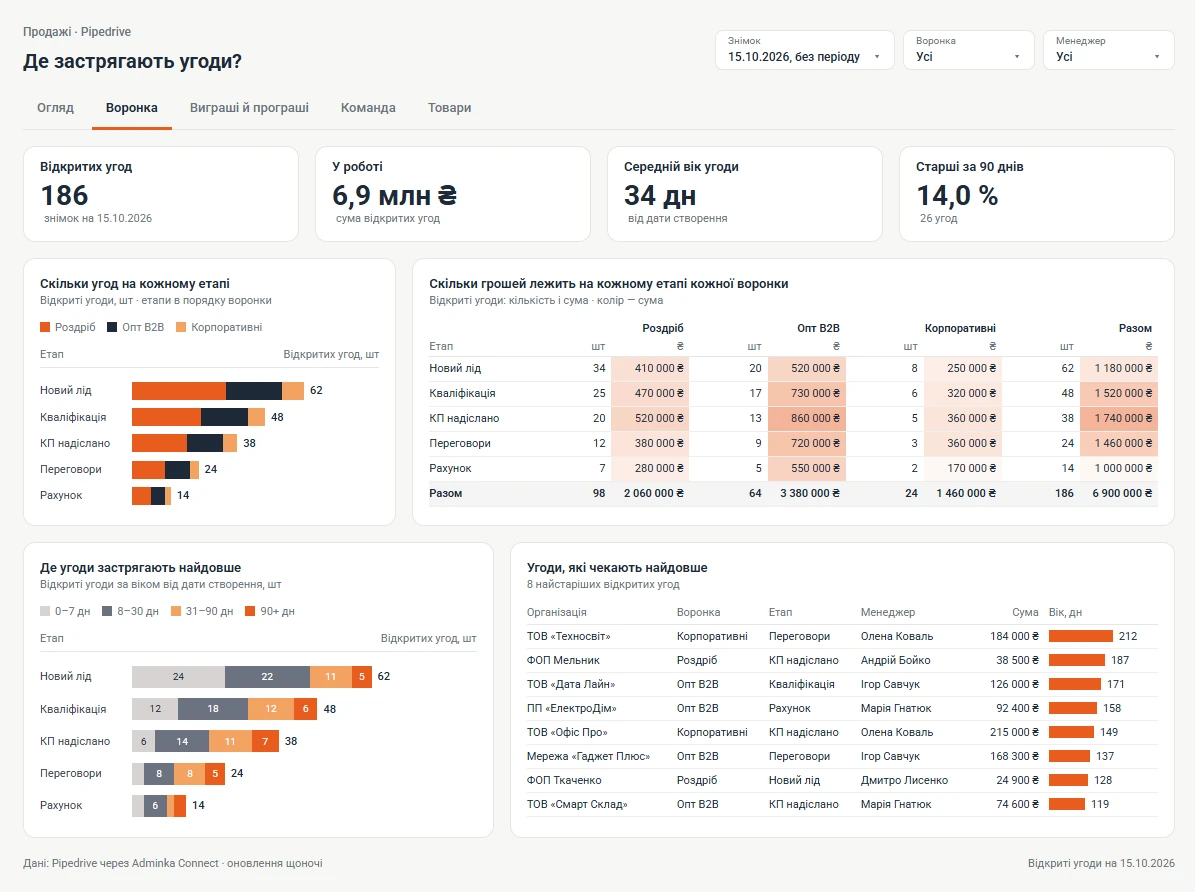
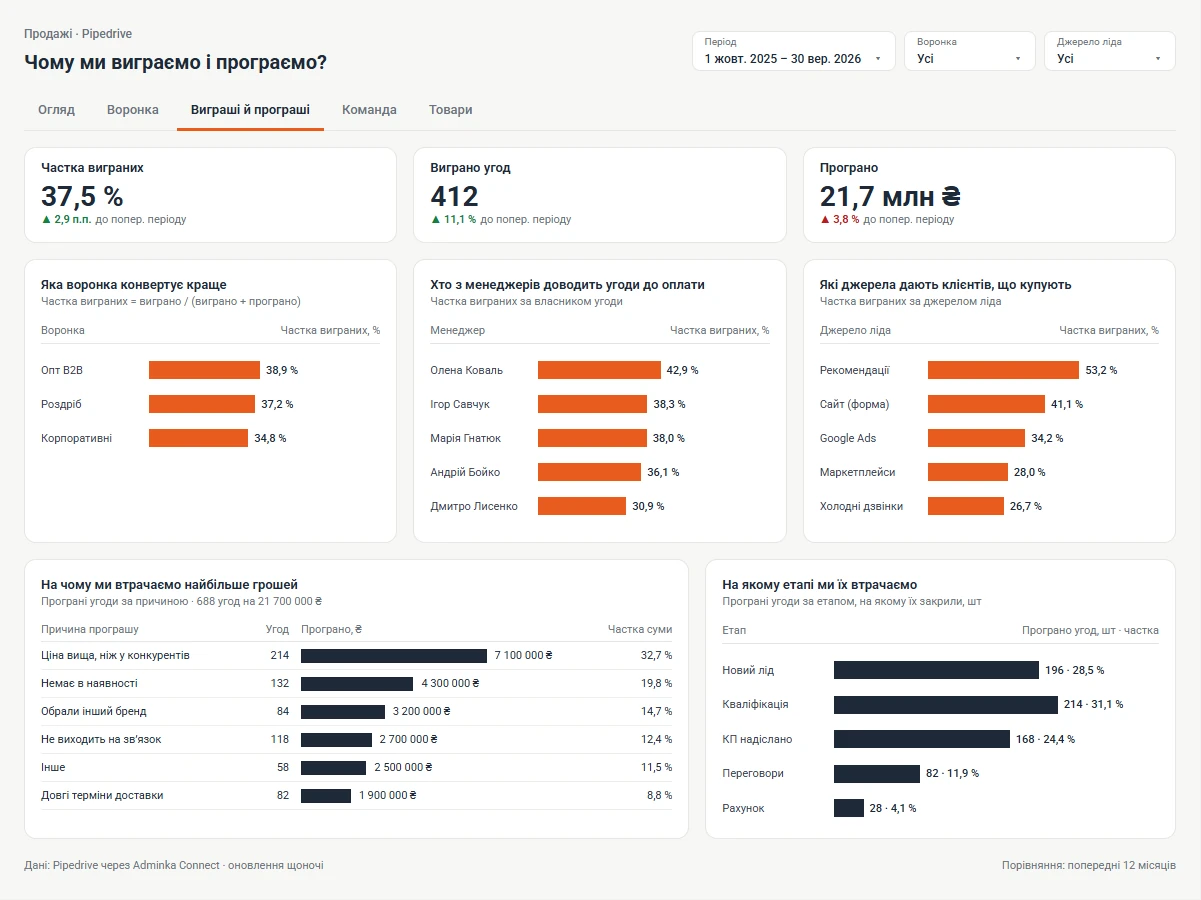
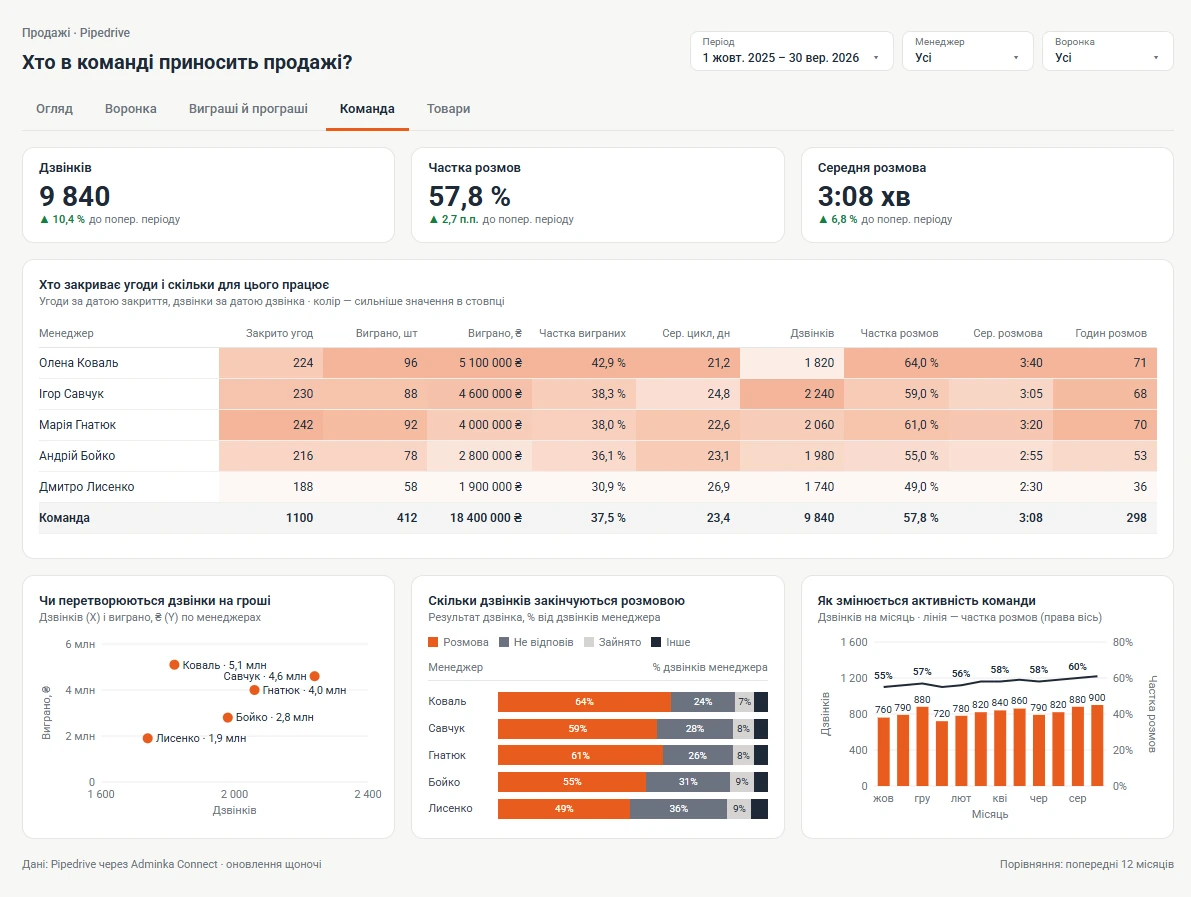
Reports you can build
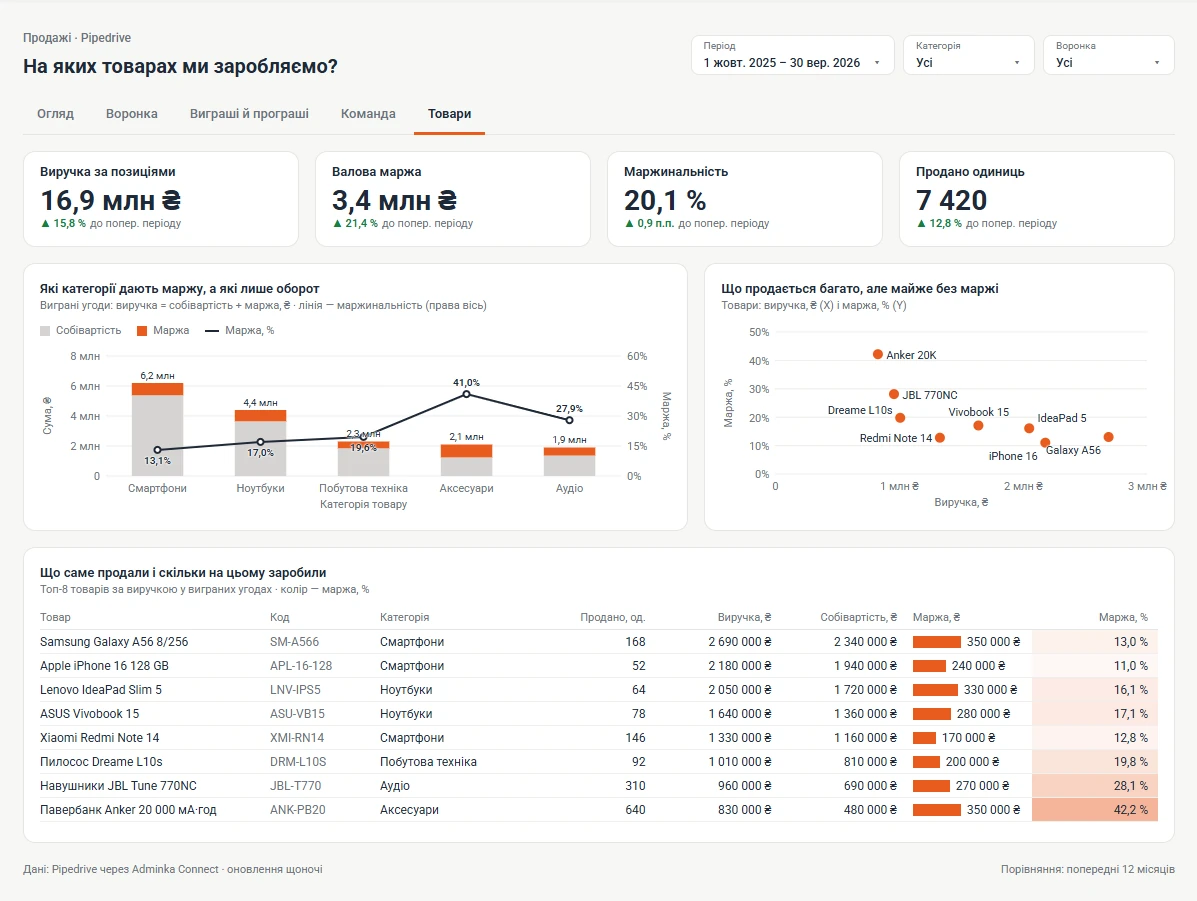
How to connect Pipedrive
-
1/3
Every Pipedrive user has their own API token (Pipedrive’s name for an API key). It’s under Settings → Personal preferences → API (Pipedrive’s guide). If there’s no API item, it’s switched off in your permissions — ask your account admin.
-
2/3
Use the token of a user who can see all the deals you need (usually an admin) — otherwise reports only get the deals that user can see. Paste the token into your Adminka Connect account.
-
3/3
Connect Data Studio (the Adminka connector from your account, with Google sign-in) or Power BI (a link or the function from your account) and pick the tables you need.
Pipedrive questions
Pipedrive already has reports. Why Data Studio or Power BI?
They let you combine Pipedrive with ads, Google Analytics and spreadsheets in one report, and share it with colleagues or partners who don’t have Pipedrive access.
Do you load custom fields?
Yes. Fields you created in your CRM yourself become separate columns in your reports, in the right format: numbers can be summed, dates can be filtered. A new field appears in reports after the next nightly update.
How are deals in different currencies handled?
Every amount is available in its original currency and in hryvnias at the NBU rate of the deal’s creation date. If you prefer, your Pipedrive account’s main currency can be used instead of hryvnias.
Are archived deals included?
Yes — archived deals and leads come along with the active ones.
Other CRMs