
KeyCRM in Data Studio and Power BI
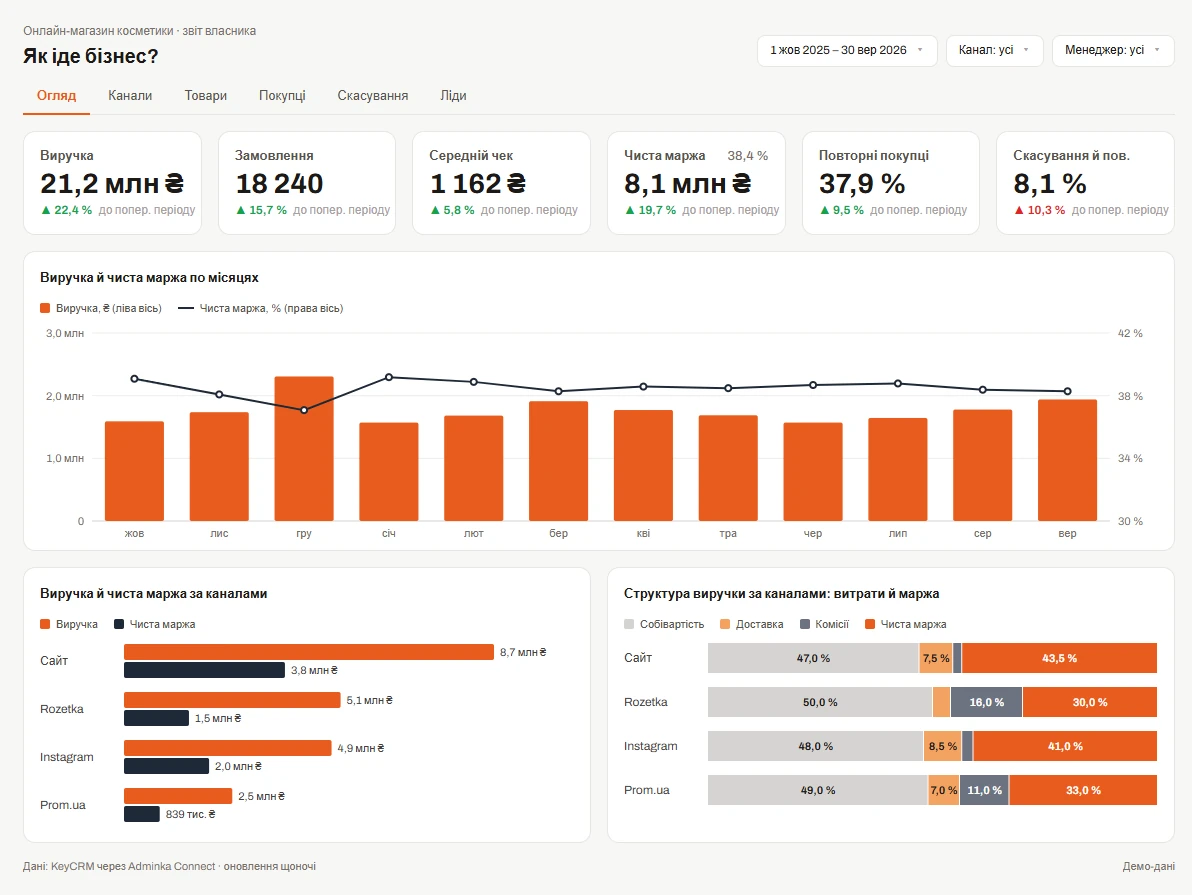
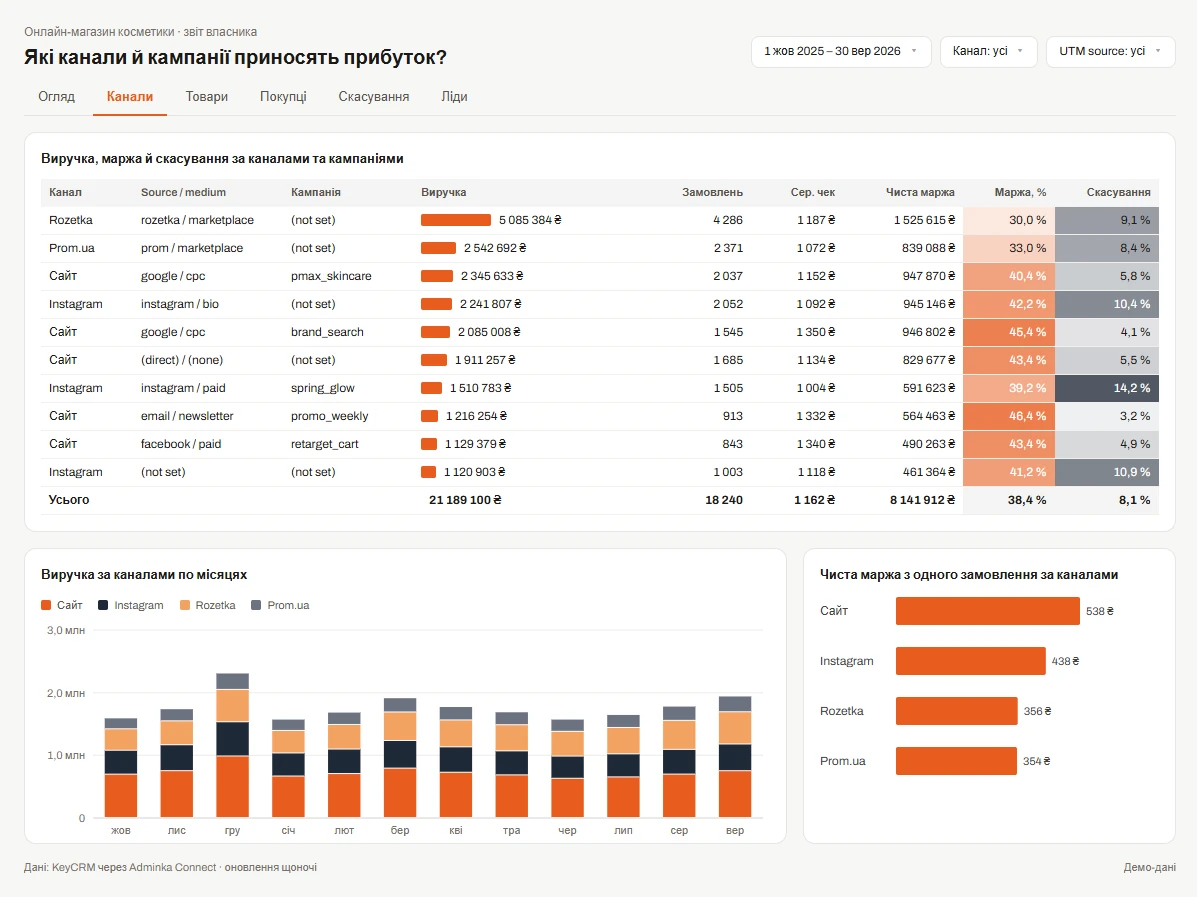
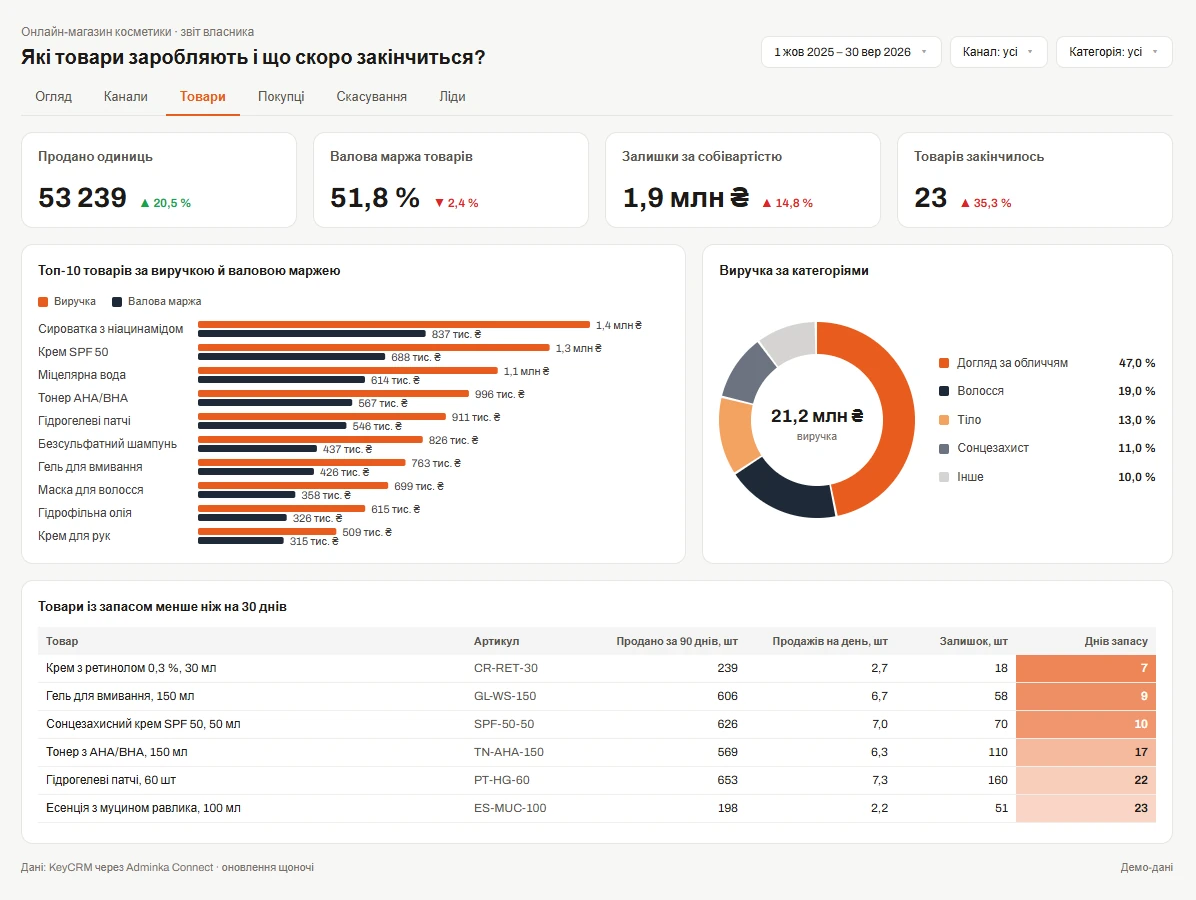
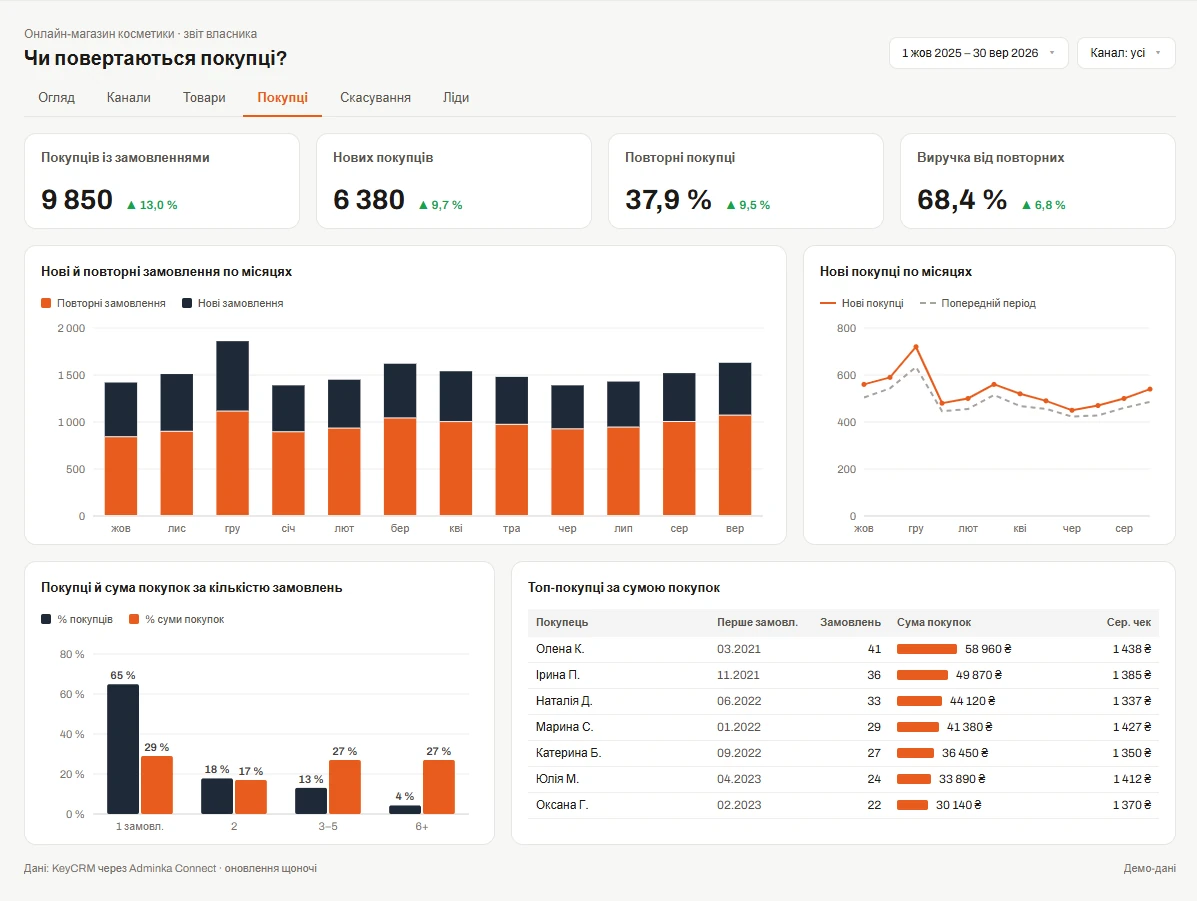
Orders from every sales channel, payments and expenses, pipeline leads and calls — every night in Data Studio or Power BI as ready-made tables. For the reports that are hard to build in KeyCRM’s own analytics: net margin, repeat purchases, ad campaign returns.
No card required. Cancel any time.
What KeyCRM data you get
Not just a CRM export, but organised, report-ready tables: every order shows the buyer’s name (not their ID in the system), amounts are converted to hryvnias, dates are in your time zone.
Custom fields you created in your CRM come along too, in the right format: numbers can be summed, dates can be filtered.
- Clients
-
Contacts, manager, creation date, total purchases.
- Deals
-
Sales channel, status, payment status, manager, amount — in the original currency and in hryvnias.
- Payments
-
Order payments and delivery or commission expenses: date, amount, status.
- Leads
-
Pipeline, stage, source and UTM tags.
- Products
-
SKU, price, cost, stock.
- Managers
-
For reports by each person responsible.
- Deal lines
-
What exactly was sold, how many and for how much.
- Calls
-
Incoming and outgoing, outcome, duration.
What we handle specifically for KeyCRM
- Orders with sales channel, payment status and UTM tags
- Order payments and expenses (delivery, commissions) — to work out net margin
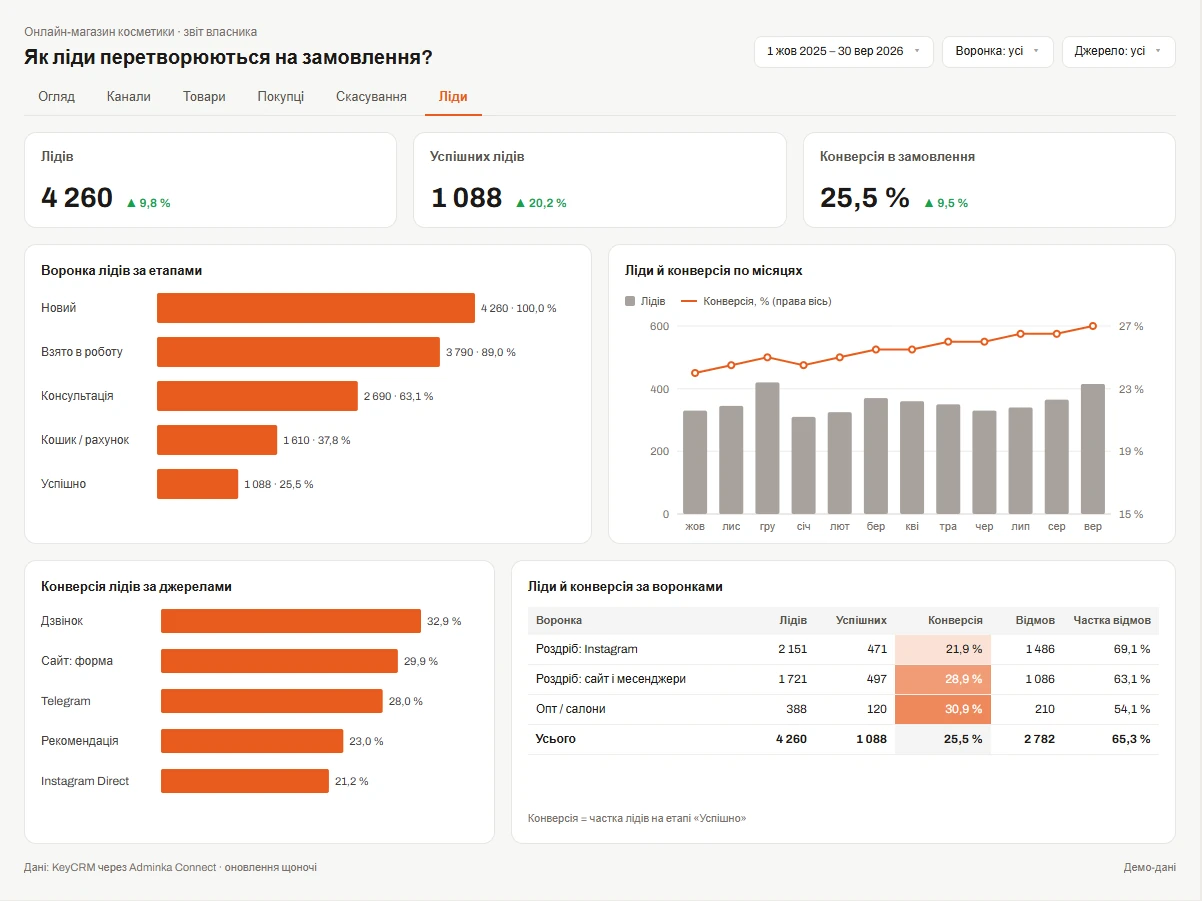
- Pipeline leads with stages, sources and UTM tags
- Order products linked to your catalogue, with cost
- Channels in different currencies (PLN, USD, EUR) — amounts also in hryvnias at the NBU rate of the order’s creation date
- Buyer, order and lead custom fields — with the types set in KeyCRM
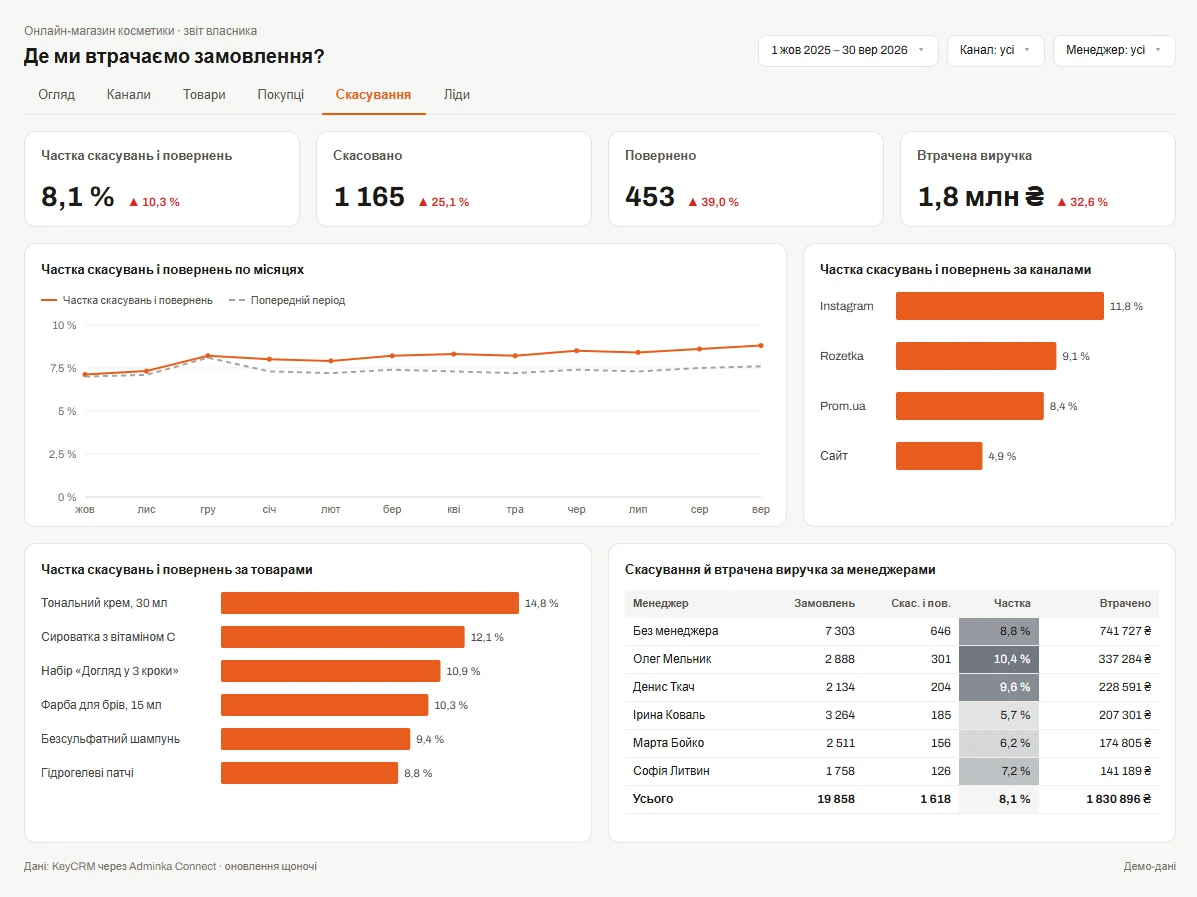
Reports you can build
How to connect KeyCRM
-
1/3
The account owner creates an API key in KeyCRM: Settings → General → API key.
-
2/3
Paste the key into your Adminka Connect account. We only read data and never change anything in KeyCRM.
-
3/3
Connect Data Studio (the Adminka connector from your account, with Google sign-in) or Power BI (a link or the function from your account) and pick the tables you need.
KeyCRM questions
Do you load custom fields?
Yes. Fields you created in your CRM yourself become separate columns in your reports, in the right format: numbers can be summed, dates can be filtered. A new field appears in reports after the next nightly update.
Can we calculate margin?
Yes. The data has everything you need: order amount, product cost, delivery expenses and commissions.
What if we sell in several countries?
Each order carries its sales channel’s currency. Reports get both the original amount and hryvnias at the NBU rate of the order’s creation date.
Will this interfere with our integrations?
KeyCRM limits the number of requests to an account, and the limit is shared by all integrations. Adminka Connect uses only a small part of it, so your website, marketplaces and other services keep working as usual.
Are cancelled orders included?
Yes, orders in every status — so you can measure cancellations and returns.
Other CRMs